
|
Education is changing, and the way that we reach our students may need some transformation. When we were kids, the way we did our research consisted of going to the school library to read through the alphabetized encyclopedias. Now everything is often just a "Google" away. You can learn how to change a tire or master a video game on YouTube. There are a lot of ways to consume information now; it makes sense that we're all looking for ways to transform learning for our kids to use the information to create, solve problems, and ask their own questions. But the absolute statements in education---those generalized statements that tend to classify everything in one category ---make us wary. They are not the answer. Absolute statements tend to be used to attack all lectures, all textbooks, all worksheets, etc. These statements tend to get a lot of attention; some come with their own Twitter hashtag and maybe even a book. The trouble with these statements is that they tend to classify everything in the category it attacks as the same. "You should never use lectures." "You should never use textbooks." "You should always avoid all worksheets." Edu videos are not in these statements (yet), but they could be soon. Because just like all tools---it matters how edu videos are being used too. We find these absolute statements are just attacking a tool without asking, "How is it being used?" Simply adding technology does not make something innovative; we all know this. But we also shouldn't innovate for the sake of innovation. We should innovate when the way something is being used no longer serves our kids as effectively. There should be a reason for transforming something besides the fact that the "something" may be an older tool or strategy. We aren't big fans of lengthy, traditional lecture and notes. We find them time consuming, and I've found my students tune out of them after about fifteen minutes. Plus, I have a lot less time for the other things I want to do such as labs and discussions! We made our Unlectured Series with the intention of transforming traditional lecture. But you will never hear us make an absolute statement about lectures, because we know they cannot all be generalized like mine. What about storytelling? This can be such a memorable way to connect with students! Or the TED Talks we love so much? These are all ways that lecture can be used in a way that can reach students. A paper-based or online textbook can be used in a monotonous task of having students copy vocabulary words with definitions straight from the book. Not very effective. But you know what else textbooks can be? A paper-based or online textbook could also be used as a reference tool----a peer-reviewed reference tool---that students can find useful to cite when developing their own creations such as a blog entry, story, or comic. Peer-reviewed information in science is important. A worksheet can be used as a sheet of paper where students restate facts that involves very little learning. Such things are easily copied online or from a peer. Worksheets can be meaningless busywork. It doesn't matter if it's on paper or behind glass on a computer screen---if it's being used that same way, its potential is the same. But you know what else worksheets can be? They can be full of open ended questions. They can serve as quick exit tickets, where they can let the teacher see where his/her students may be confused. They can provide an opportunity for feedback as a formative assessment with no grade required! They can be used collaboratively: have students pair up to come up with their answers and justify with the class. P.S. On the topic of worksheets, check out these other great points on this blog post by The Nerdy Teacher! Overall, lumping all things into a tool and calling the tool "bad" without considering how it's being used doesn't seem to make much sense to us. Any tool that is being used to help kids with the best part of science---the whole "doing" part of science including hands-on labs, discussions, creating, etc---is a win in our minds. 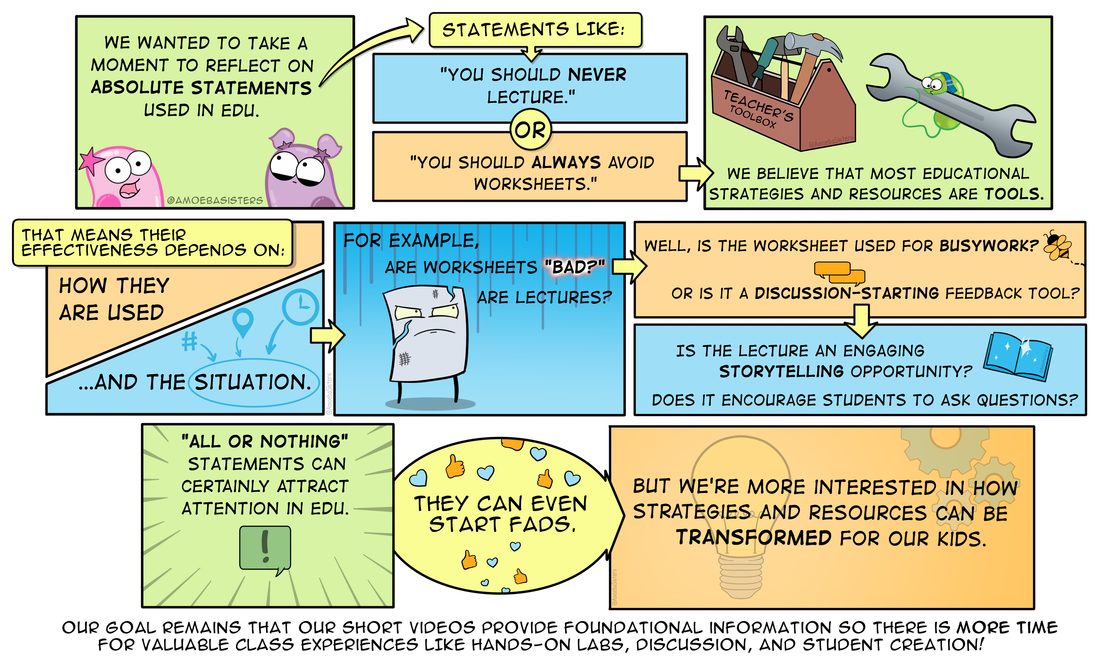 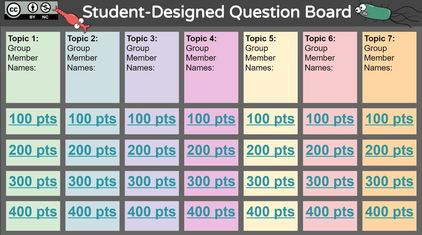 You probably have seen the awesome jeopardy inspired templates made and shared in PowerPoint or Google Slides by some AWESOME teachers online. These can be fun review activities. But have you considered having students design the questions? By asking students to design questions at different point levels, you are giving them an opportunity to think deeply about the content (designing high level questions can be a challenge) and the chance to be involved in classroom review activities. Sometimes it can be hard to facilitate this design on the typical template. We have a question board template that we created for Google Slides that we think will be useful, because it facilitates dividing up the work among the group and allowing them to work simultaneously. It uses an instruction slide, guidance text, and color coding to do this. One question board can be used by the entire class collaboratively. Please read the instruction slide within it which will walk you through the idea of how the board works. Amoeba Sisters Question Board: *Don't forget to click on this link to get a copy for each class period! Let us know what you think or ideas for how this could be better :) https://docs.google.com/presentation/d/18jDxZFVZMuXPS0zqBiHZvvlfxhwFE8FMk2OsqoRflL4/copy Virtual discussion boards can be powerful tools for collaboration! However, it can be challenging to set them up if they also require students to have accounts.
TodaysMeet makes it so easy to create a discussion board---you don't need an account to make one. You can also give it a unique name and set up when you want it to expire. Then just give your students the URL. It will prompt students to provide a "nickname" and voila! Consider asking thought provoking question prompts or asking students to share ideas or questions on a topic. This is especially useful during a time that students may be watching a short video in class, as students can contribute thoughts, ideas, or questions they may have while the video is playing! Oh---and if you do want extra features such as access control? Make a free teacher account on the website. Pinterest is one of those websites where hours can go by without you noticing. We all know why. It has some great ideas---for tons of topics---and education is no exception! We have a Pinterest page ourselves.
So what kind of things might you look up on Pinterest in education? Try searching for these below topics in Pinterest to start finding some awesome ideas: -"Science comics" (or your subject area) -"Classroom displays" (for classroom ideas!) -"Anchor charts" -"Science resources" (or your subject area) -"Educational technology" We are really getting into GIFs. You can read more about why on our GIF page.
After you check that out, we mentioned on that page that there are lots of places to host GIFs. Here is our Padlet example. A teacher can create a Padlet page and then only needs to provide students with the link. Students don't need an actual account. By just double clicking, they can make a post and comment on a GIF. They can also post their own. Padlet also allows you to turn on "approval only" so that posts only show if you approve them. We have our Padlet commenting turned off right now. Here is our Linoit example. The navigation menu is in the bottom right. If you drag that white rectangle around, you can see where we have posted some of our GIFs with questions. We have commenting turned off, but if turned on in the settings, it allows students to answer questions about GIFs on different colored sticky notes. Students don't need an actual Linoit account---they just need the link provided by their teacher! |

About This PageThis page features some of Pinky's favorite instructional technology websites, apps, online resources, response systems, and other tools. Please always read the terms and privacy policy of any technology tool that you plan to use in the classroom.
Disclosure? If we share a tool or website on this page, it's because we like it and find it useful. We don't have affiliate links on this blog. If we use affiliate links at any point on this blog, we will announce on the individual post. Topics
All
|
